
Case study: moving 67,903 WordPress media files to Cloudflare R2 in under 2 hours
A WordPress site with 67,903 media attachments needed to move from BunnyCDN to Cloudflare R2. Using OmniOffloader from WP-CLI, the whole library moved in about 1 hour 45 minutes while the site stayed live.
The site
The site had 67,903 media attachments, each with its own set of thumbnail sizes, and was serving them through BunnyCDN.
The goal
Move all media to Cloudflare R2 without downtime, without losing a file, and without babysitting a browser tab for hours.
The process
- Connect Cloudflare R2 in the plugin settings and test the connection.
- Keep the retention policy on Retain Local Files, so the server copy stays as a safety net.
- Start the offload over SSH, in the background, with output going to a log file.
- Close the terminal and watch progress from the WordPress admin and
wp omnioffloader status.
This is the command for step 3:
nohup wp omnioffloader offload --all --concurrency=64 > ~/offload.log 2>&1 &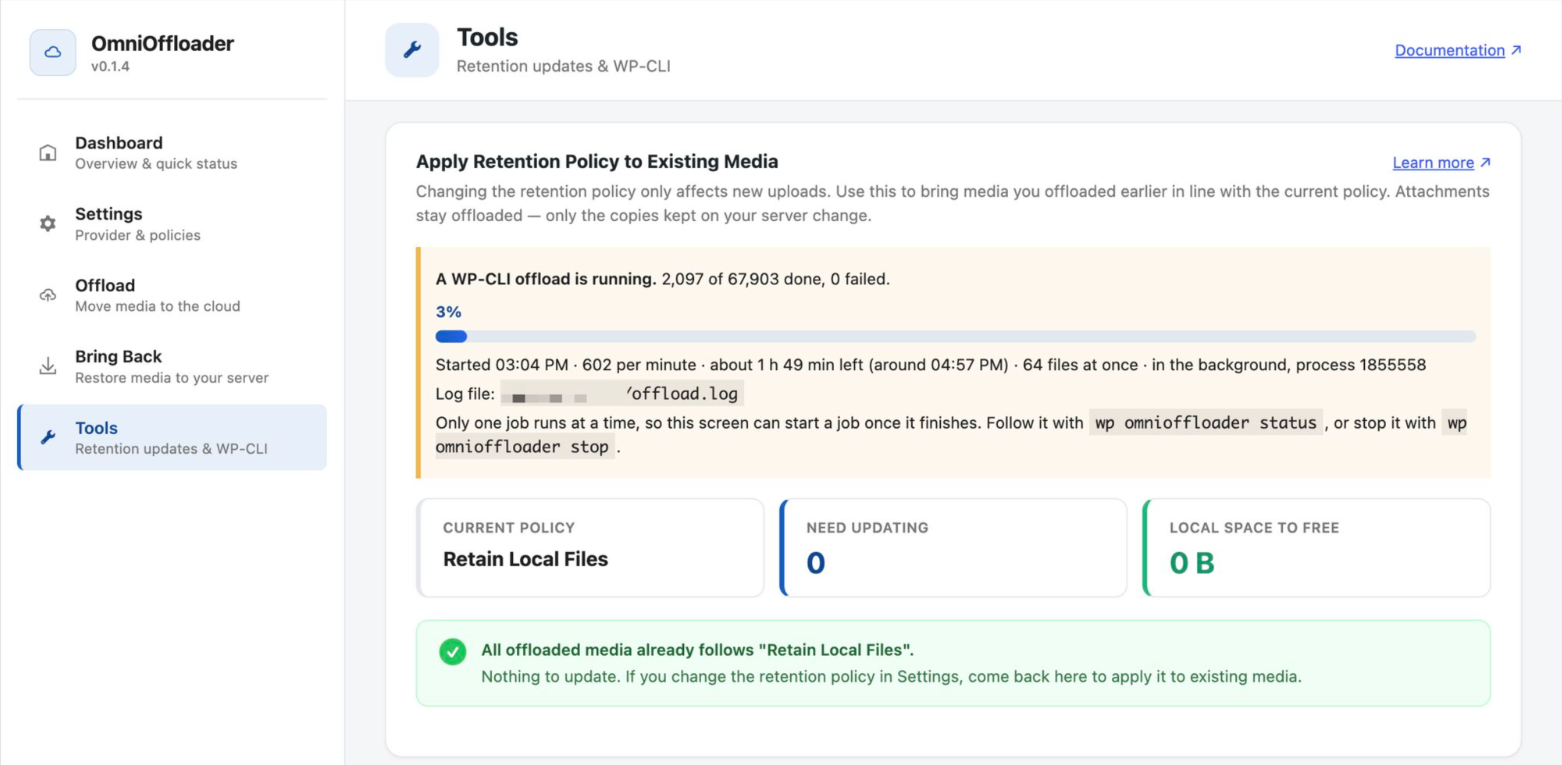
The numbers
| Attachments | 67,903 |
|---|---|
| Speed | About 600 attachments per minute |
| Concurrency | 64 files uploading at once, in one PHP process |
| Total time | About 1 hour 45 minutes |
| Downtime | None, the site stayed live the whole time |
What made it smooth
- Parallel uploads: one process handles many files at once, with no extra workers using server resources.
- Background-friendly: the run survives a closed SSH session and writes progress lines to the log file.
- One job at a time: the admin blocks other bulk jobs while the CLI run is active, so nothing collides.
- Stoppable:
wp omnioffloader stopends the run cleanly between items. - Reversible: files are only removed from the server after the cloud copy is verified, and Bring Back can restore everything.
What's next
With everything verified in R2, the retention policy can be switched from the Tools page to free up local disk space when the site is ready.
If you run a media-heavy WordPress site and are thinking about R2, S3, B2, Spaces or Wasabi, OmniOffloader is free on WordPress.org. For help with a migration like this one, email hello@huzaifa.bd.
Comments
No comments yet. Questions, fixes and your own testing tips are welcome.